After ten years as a developer—and several side projects built alone during evenings and weekends—I have tried more frameworks, databases, and hosting services than I can easily count.
Whenever a promising framework appeared, I tested it. Whenever a service became popular, I tried connecting it to a project. These days, tools such as ChatGPT, Claude, and Gemini are also a natural part of my workflow. I use artificial intelligence to organize ideas, draft code, compare implementation options, and investigate errors. Vibe coding has definitely made it faster to turn an idea into a working feature.
But AI-generated code does not operate a product by itself. Reviewing the code, designing the data model, protecting user data, deploying safely, and responding to production problems are still the developer's responsibility. For a solo developer, the most important question is not simply what a tool can do, but whether one person can operate it for a long time.
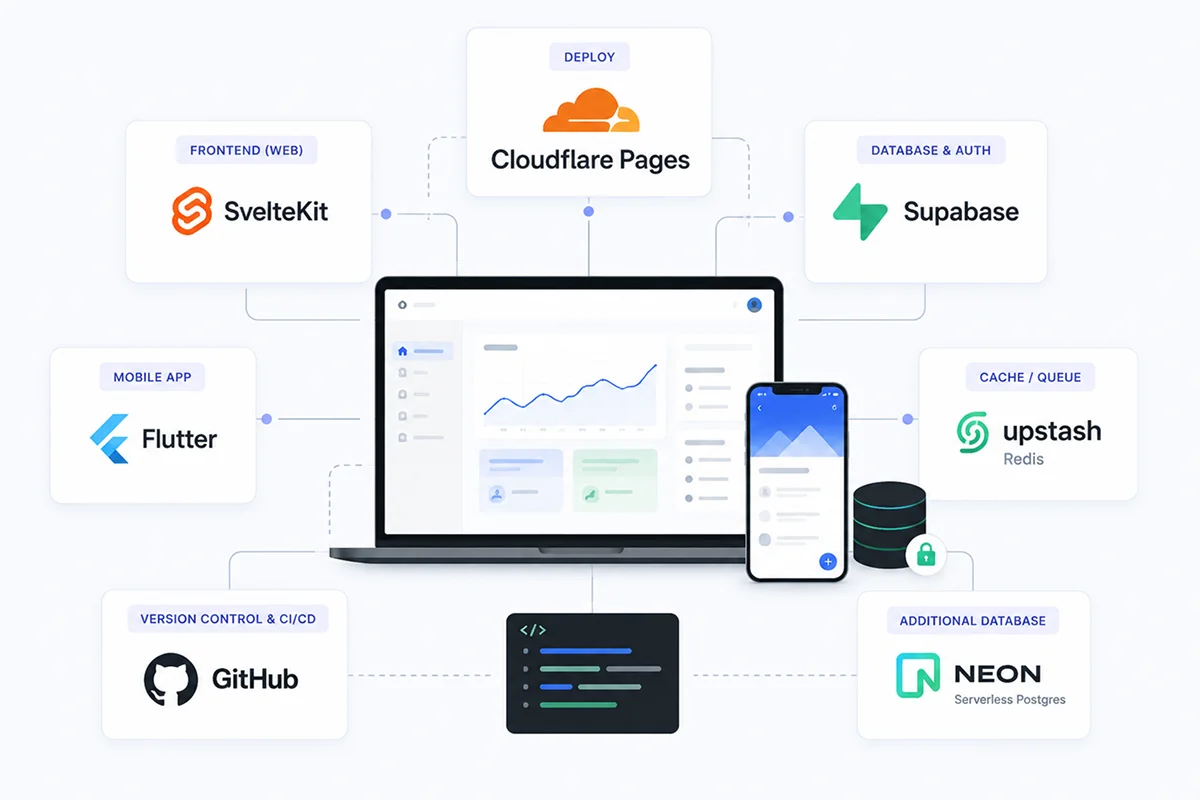
Today, this is the stack I consider first when starting a product:
- Deployment: Cloudflare Pages
- Database and authentication: Supabase
- Web frontend: SvelteKit
- Mobile app development: Flutter
- Version control and workflow: GitHub
- Redis caching: Upstash
- A separate PostgreSQL database when Supabase is not needed: NeonDB
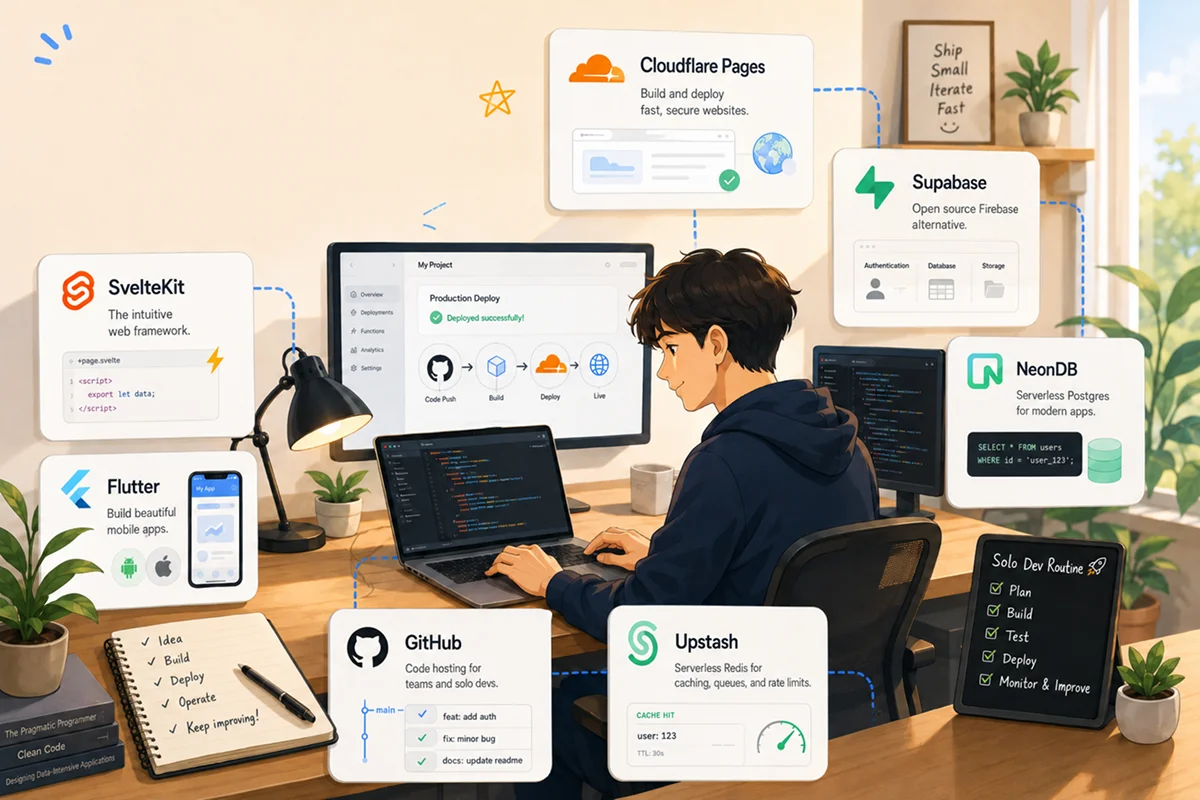
This is not a universal stack for every project. It is the combination I currently prefer after balancing development speed, operating effort, and cost as a solo developer.
I simplified the way I choose technology
I used to compare performance and feature lists first. Now I begin with a different set of questions:
- Can I configure and operate it alone?
- Is it affordable while the product is still small?
- Can it scale naturally if the number of users grows?
- Are the documentation and community strong enough when something breaks?
- Can I move my code and data elsewhere if necessary?
For solo development, a tool that leaves less to manage is often more valuable than the tool with the longest feature list.
I may ask ChatGPT to organize requirements and test cases, use Claude to review the flow of a large section of code, and use Gemini to compare alternative implementations. This kind of AI-assisted vibe coding is a useful accelerator, but I keep one rule: I only ship code that I can understand, verify, and operate myself.
1. Cloudflare Pages for deployment
I use Cloudflare Pages to deploy web products.
Once it is connected to a GitHub repository, a push can trigger the build and deployment process. Preview deployments for branches are also convenient. I do not need to configure a server or maintain complicated deployment scripts when a project is just getting started.
Static assets can be delivered globally, while domains and HTTPS can be managed in the same workflow. This is a particularly good fit for a solo developer who needs to keep infrastructure work small.
The main reason I choose Cloudflare Pages is not a flashy feature. It is the ability to stop thinking about deployment and return to product development.
2. SvelteKit for the web frontend
I build web frontends with SvelteKit.
Svelte lets me express components with relatively little code, and the relationship between the interface and its logic is easy to follow. When working alone, it matters that I can reopen a project several days later and recover the context quickly.
SvelteKit also provides the basic structure a product needs in one framework: routing, server-side rendering, data loading, and API handling.
- Fast UI development
- Relatively simple component code
- Server and client logic in one project
- A path from a small prototype to a production product
Instead of changing frameworks every time a new trend appears, I now use SvelteKit to build features quickly and learn from actual users.
3. Supabase for the database and authentication
For most products, I start with Supabase.
It provides a PostgreSQL database together with authentication, file storage, realtime features, and server-side functions. Building signup and login from scratch introduces more security requirements and edge cases than it initially seems.
Supabase gives me one place for:
- A PostgreSQL database
- Email and social authentication
- File uploads and storage
- Access control through Row Level Security
- Realtime data
- Lightweight backend functions
The biggest benefit is the amount of backend setup it removes from the early stages of a solo project. I also like that the foundation is PostgreSQL, so I can continue to use normal SQL and familiar database tools.
4. Flutter for mobile apps
For mobile apps, I use Flutter.
A solo developer rarely has enough time to maintain completely separate iOS and Android applications. Flutter lets me manage both platforms from one codebase and build custom interfaces quickly.
Platform-specific details still require care, but the advantage of maintaining one implementation and one design system becomes more valuable as a project grows.
- One codebase for iOS and Android
- A consistent interface across platforms
- Fast iteration and testing
- Reuse of the APIs and backend already built for the web
Using SvelteKit for the web and Flutter for mobile lets each platform keep its strengths while sharing a backend such as Supabase.
5. GitHub for version control and development workflow
GitHub is more than a place where I store source code. It is the center of my development workflow.
I create branches for features, keep tasks in issues, and automate repetitive work with GitHub Actions. When working alone, there is no teammate available for every code review, so commits and pull requests become documentation for my future self.
Keeping repositories on GitHub also makes it easy to connect products to deployment services such as Cloudflare Pages. Code, history, automation, and deployment become one continuous workflow.
6. Upstash for Redis caching
When I need caching or a lightweight queue, I use Upstash Redis.
I do not have to install and operate a Redis server, and usage-based pricing is approachable while traffic is still small.
Typical uses include:
- Caching frequently requested data
- API rate limiting
- Short-lived tokens and temporary state
- Preventing duplicate jobs
- Lightweight background queues
I do not cache everything from the beginning. I add Upstash only after identifying a genuinely slow or repetitive path. This keeps the architecture simple and makes cost easier to control.
7. NeonDB when I need a separate PostgreSQL database
When a project does not need Supabase authentication or storage and only requires an independent PostgreSQL database, I consider NeonDB.
It works well when I want to isolate databases by project or connect an existing backend to serverless PostgreSQL. Database branching is also useful for separating development and test environments.
My rule is straightforward:
- Use Supabase when I want authentication, storage, and a database together
- Use NeonDB when I need an independent PostgreSQL database
Neither is automatically better. I choose according to the scope of the product.

The complete setup I use today
For a new web product, I usually begin in this order:
- Create a GitHub repository and record the work.
- Build the web interface and server logic with SvelteKit.
- Connect Supabase when the product needs users and persistent data.
- Add Upstash when repeated reads, rate limits, or queues become necessary.
- Use NeonDB when the product needs a separate PostgreSQL database.
- Connect the repository to Cloudflare Pages for automatic deployment.
- Build a Flutter app against the same backend when mobile becomes necessary.
Defining these roles in advance prevents me from spending too much time researching the same tools at the beginning of every project. I can spend that time building the features users actually need.
After ten years, I care more about operations than technology
The lasting question is no longer, “How impressive is this technology?” It is, “Can I continue operating this product?”
A solo developer handles planning, design, development, deployment, and customer support. Every area that requires less maintenance makes the entire project easier to sustain.
This stack will not remain the perfect answer forever. Still, I no longer replace tools immediately because something new has appeared. I first ask whether the new option solves a real problem in the current product.
AI and vibe coding have changed how quickly one person can build. ChatGPT, Claude, and Gemini can help us explore more ideas and write code faster. But a simple, understandable, and maintainable stack is what turns that speed into a product that can stay online.
View all the tools in one shared folder
I collected links for Svelte, Flutter, Supabase, Upstash, NeonDB, and Cloudflare in the Urlala shared folder below.
The Solo Development Tech Stack of a Developer with 10 Years of Experience
Instead of searching for each official website whenever you start a project, you can open them from one folder. Feel free to use the collection as a reference while deciding on your own stack.
Spend less time choosing tools—and more time finishing the product you want to build.